Generating fabrication files (Gerber) with pcbnew's Python API
Export a board's Gerber files by script, without going through KiCad's plot dialog — with pcbnew or the IPC API.
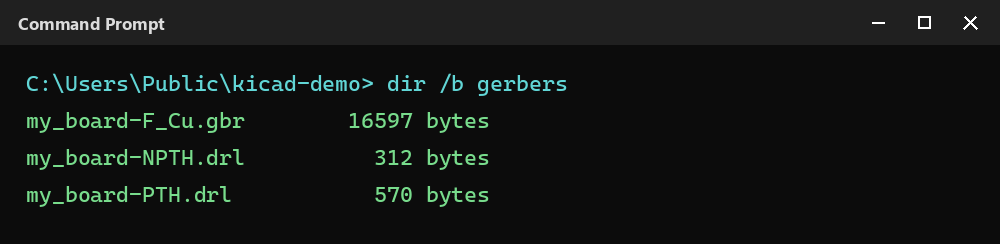
Manually regenerating Gerbers from the File → Plot dialog after every board revision is easy to forget. Scripting the export guarantees up-to-date fabrication files on every build, and fits naturally into a CI pipeline that validates a board before it’s sent to the fab house.
Configuring and running the plot
PLOT_CONTROLLER drives the export layer by layer. Set the output directory, then open and close a plot file for each layer:
import pcbnew

board = pcbnew.GetBoard()
from pcbnew import PLOT_CONTROLLER, PLOT_FORMAT_GERBER, F_Cu

pctl = PLOT_CONTROLLER(board)
popt = pctl.GetPlotOptions()
popt.SetOutputDirectory("gerbers")

pctl.SetLayer(F_Cu)
pctl.OpenPlotfile("F_Cu", PLOT_FORMAT_GERBER)
pctl.PlotLayer()
pctl.ClosePlot()
This example only plots F_Cu: repeat SetLayer/OpenPlotfile/PlotLayer/ClosePlot for every layer you need to export (copper, silkscreen, mask, outline…).
With the IPC API, the export goes through a PlotSettings object listing the layers to plot, then a higher-level call on the board:
from kipy import KiCad
from kipy.board_jobs import PlotSettings

kicad = KiCad()
board = kicad.get_board()

plot = PlotSettings()
plot.layers = [board.get_layer_by_name("F.Cu"), board.get_layer_by_name("B.Cu")]

result = board.export_gerbers("gerbers/my_board", plot_settings=plot)
⚠️ Two version requirements, just like headless — checked locally, export_gerbers genuinely works once both are met:
- on the KiCad side, you need version 11 or a 10.99 nightly: on stable KiCad 10, the IPC server literally replies “no handler available for request of type …ExportGerbers” — the command doesn’t exist on the application side yet;
- on the library side,
export_gerbersandPlotSettingsonly exist starting with kicad-python 0.9.0, still in development at the time of writing (pip install kicad-pythoninstalls 0.8.0, which has neither).
Tested with both sides up to date (KiCad 10.99 + a development kicad-python): the export produces real, usable .gtl/.gbl files. Until a release ships both sides together, use pcbnew for this export.
Exporting the drill file
Drilling uses a dedicated controller, EXCELLON_WRITER, separate from copper layer plotting:
from pcbnew import EXCELLON_WRITER

drill_writer = EXCELLON_WRITER(board)
drill_writer.SetOptions(False, False, board.GetDesignSettings().GetAuxOrigin(), False)
drill_writer.CreateDrillandMapFilesSet("gerbers", True, False)
Same idea on the IPC API side, in a single call:
from kipy.board import DrillFormat

board.export_drill("gerbers/my_board", format=DrillFormat.DF_EXCELLON)
⚠️ DrillFormat is imported from kipy.board, not kipy.board_jobs. Same two version requirements as export_gerbers (KiCad 11/10.99 + kicad-python 0.9.0) — tested with both up to date, produces a real .drl file.
Going further
This script drops directly into a CI step: on every commit that changes a .kicad_pcb, automatically regenerating the Gerbers and diffing them against the previous version catches unintended fabrication changes before the board ships to the fab house.