Setting a copper zone's thermal relief with pcbnew's Python API
Configure the thermal relief around pads connected to a copper zone, by script — with pcbnew or KiCad's IPC API.
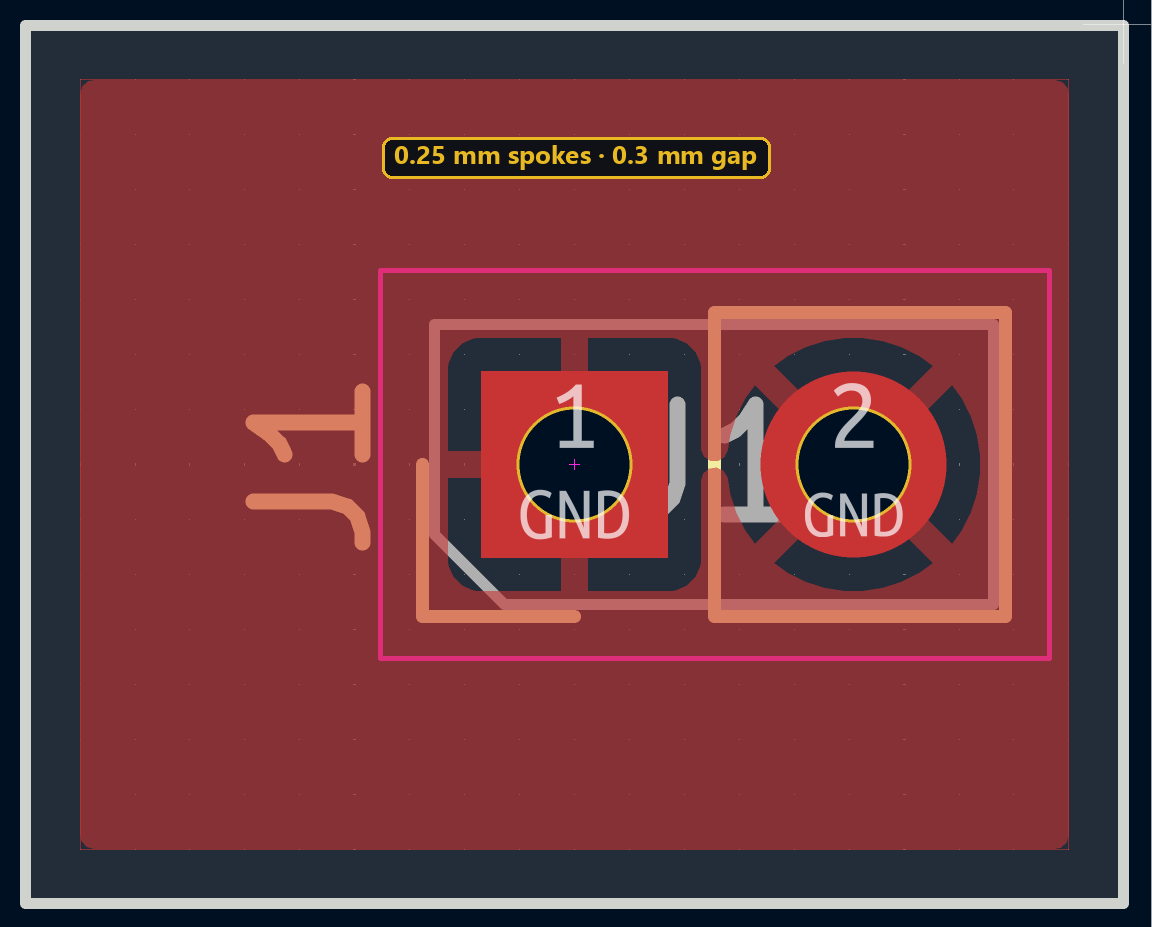
A pad soldered directly into a large copper plane absorbs a huge amount of heat, which makes hand soldering difficult. Thermal relief connects the pad to the zone through thin spokes instead of a solid connection, to limit that heat dissipation.
Configuring the thermal relief
The gap and spoke width are set separately on the zone:
zone.SetThermalReliefGap(FromMM(0.3))
zone.SetThermalReliefSpokeWidth(FromMM(0.25))
On an already-filled zone, this setting only takes effect after a new fill (ZONE_FILLER(board).Fill(board.Zones()), see the copper zone tutorial) — changing it alone doesn’t touch the copper already generated.
Thermal relief doesn’t have a dedicated property in the Python client yet: reach it through .proto, which gives direct access to the underlying protobuf message, in raw nanometers converted with from_mm:
from kipy import KiCad
from kipy.util.units import from_mm

board = KiCad().get_board()
zone.proto.copper_settings.connection.thermal_spokes.gap.value_nm = from_mm(0.3)
zone.proto.copper_settings.connection.thermal_spokes.width.value_nm = from_mm(0.25)
board.update_items(zone)
⚠️ zone.connection.thermal_spokes (without .proto) returns a detached copy on every access: writing to it doesn’t change the zone. Use .proto for the setting to actually take effect.
Try it below: adjust the gap to see the insulating ring around the pad change.
Going further
Too small a gap doesn’t solve the dissipation problem; too large weakens the connection mechanically. For a power pad that instead needs to dump heat efficiently, it’s often better to disable thermal relief entirely (a solid connection) rather than tune one.