Resolving a layer name to an ID by script with pcbnew's Python API
Convert a layer name ("F.Cu", "B.SilkS"...) into a numeric ID by script, and back again, with pcbnew or KiCad's IPC API — and the pitfalls on both sides.
SetLayer, SetLayerPair, LSET, zone.layers… almost every layer-placement method expects a numeric ID, not a string like "F.Cu". Converting a name to an ID is trivial by itself, but deserves its own small function: a failed conversion caused by a typo or wrong case needs to be caught right away, not hours later while debugging why a track landed on the wrong layer.
Resolving the name to an ID
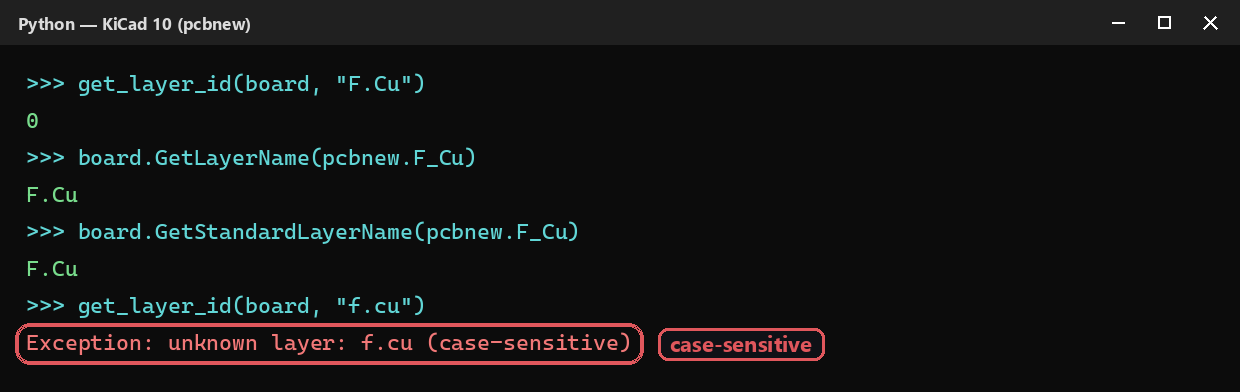
GetLayerID returns -1 if the name isn’t recognized — silently, with no exception. Might as well wrap it in a small function that fails immediately:
def get_layer_id(board, layer_name):
    layer_id = board.GetLayerID(layer_name)
    if layer_id == -1:
        raise Exception(f"unknown layer: {layer_name} (case-sensitive)")
    return layer_id

f_cu = get_layer_id(board, "F.Cu")
⚠️ The lookup is case-sensitive: "f.cu" also returns -1, exactly like a name that doesn’t exist at all.
get_layer_by_name is sneakier: on an unknown name, it does not raise an exception, and it doesn’t return BL_UNKNOWN either — it silently returns BL_UNDEFINED, a layer value that looks valid. Without an explicit check, an item assigned to this layer just… ends up nowhere useful:
from kipy.board_types import BoardLayer

def get_layer_id(board, layer_name):
    layer_id = board.get_layer_by_name(layer_name)
    if layer_id == BoardLayer.BL_UNDEFINED:
        raise Exception(f"unknown layer: {layer_name} (case-sensitive)")
    return layer_id

f_cu = get_layer_id(board, "F.Cu")
⚠️ Tested: get_layer_by_name("NotALayer") raises nothing and returns BL_UNDEFINED — the easiest of the two APIs to get wrong if you don’t check the return value.
And the other way around: ID to name
GetLayerName does not necessarily return "F.Cu": it’s this board’s display name, which may have been customized (a 4-layer board renamed “TOP”/“GND”/“PWR”/“BOTTOM”, for example). To get back the canonical name expected by GetLayerID, use GetStandardLayerName:
board.GetLayerName(pcbnew.F_Cu)          # this board's custom name, e.g. "TOP"
board.GetStandardLayerName(pcbnew.F_Cu)  # always "F.Cu"
On a board whose layers were never renamed, both return the same thing — the trap only shows up on real boards with custom layer names, which is common in a company setting.
Same subtlety on the IPC side: get_layer_name returns the board’s custom name, not the canonical one. Unlike pcbnew, there’s no confirmed equivalent to GetStandardLayerName — BoardLayer.Name(...) does exist, but it returns the enum’s Python identifier ("BL_F_Cu"), not the dotted format ("F.Cu") expected by get_layer_by_name:
from kipy.board_types import BoardLayer

board.get_layer_name(BoardLayer.BL_F_Cu)  # this board's custom name, e.g. "TOP"
BoardLayer.Name(BoardLayer.BL_F_Cu)       # "BL_F_Cu" — not directly usable in get_layer_by_name
If you need the canonical name on the IPC side, keep your own name ↔ BoardLayer mapping in your script instead.
Going further
This small resolver function quickly becomes a shared utility across every script that touches more than one layer — it’s what actually runs behind SetLayer, SetLayerPair (blind/buried via tutorial), or zone.layers (copper zone tutorial) in this site’s other tutorials. Centralizing the check in one place means you write it (and remember it) only once, instead of in every script.