Headless KiCad: Python scripts and kicad-cli without the GUI
Edit a board, run DRC and export Gerber and drill files without opening KiCad: headless pcbnew, kicad-cli, and exit codes for CI pipelines.
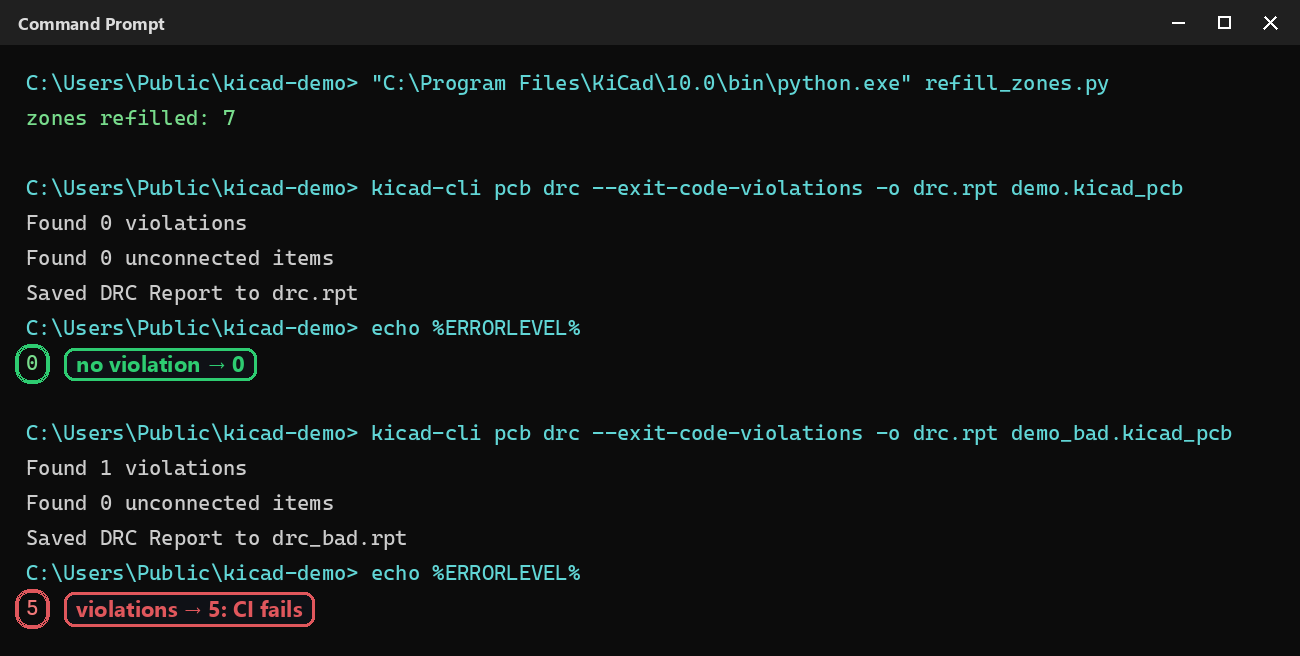
“Headless” means making KiCad work without opening its interface: on a continuous integration server, in a fabrication script, or to process fifty boards at once. Two tools work together: a Python script that edits the board, and kicad-cli, which checks and exports it. Every command on this page was run as-is on Windows with KiCad 10.0.
Editing a board without the GUI
With pcbnew, no KiCad process is needed: the module loads the .kicad_pcb file into memory, you edit it, then save it back. Example that refills every zone:
import pcbnew

board = pcbnew.LoadBoard("demo.kicad_pcb")
for zone in board.Zones():
    zone.SetLocalClearance(pcbnew.FromMM(0.3))
pcbnew.ZONE_FILLER(board).Fill(board.Zones())
pcbnew.SaveBoard("demo.kicad_pcb", board)
print("zones refilled:", len(board.Zones()))
Run it with the Python bundled with KiCad ("C:\Program Files\KiCad\10.0\bin\python.exe" refill_zones.py), otherwise import pcbnew fails: see the No module named ‘pcbnew’ error.
⚠️ Tested: pcbnew.WriteDRCReport() works in KiCad’s console but crashes in a standalone Python script (KiCad 10.0.6). Headless, run the DRC with kicad-cli (below).
The IPC API stays a client/server model: a KiCad process has to answer. Headless, kipy can start that process itself through kicad-cli:
from kipy import KiCad

with KiCad(headless=True, file_path="demo.kicad_pcb") as kicad:
    board = kicad.get_board()
    # ... same calls as with KiCad open ...
⚠️ Tested: headless=True requires KiCad 11 (or the 10.99 nightlies) and kicad-python 0.9.0 or later. On stable KiCad 10, use pcbnew or kicad-cli. Details in the installation tutorial.
Running DRC and failing the CI build
kicad-cli ships with KiCad (in the same bin folder). With --exit-code-violations, the DRC returns a non-zero exit code as soon as it finds a violation — exactly what a CI pipeline needs to block a change:
kicad-cli pcb drc --exit-code-violations -o drc.rpt demo.kicad_pcbReal result on a clean board (code 0), then on a copy with an added track that breaks a rule (code 5): see the screenshot at the top of the page. Useful options: --format json for a report a script can parse, --severity-all to include warnings, --refill-zones to fill zones before checking.
Exporting Gerber and drill files
kicad-cli pcb export gerbers --layers F.Cu,B.Cu,F.Mask,B.Mask,F.Silkscreen,Edge.Cuts -o fab/ demo.kicad_pcb
kicad-cli pcb export drill -o fab/ demo.kicad_pcb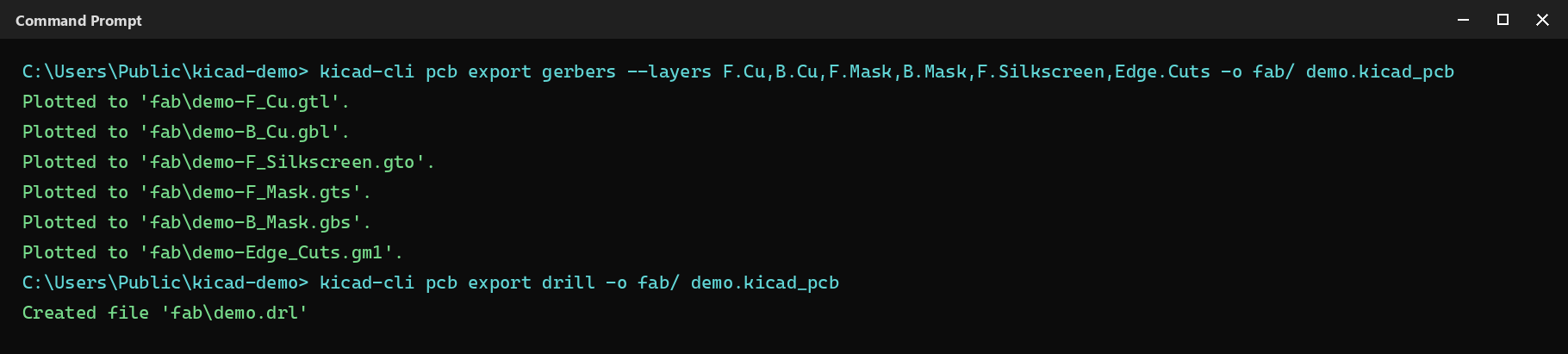
Without --layers, kicad-cli exports every layer of the board, including User and Fab layers the fab house doesn’t need.
Rendering a 3D image of the board
Handy for documentation or an automatic preview in a pull request:
kicad-cli pcb render -o board3d.png -w 1600 -h 1000 --quality high --perspective --rotate -38,0,18 demo.kicad_pcb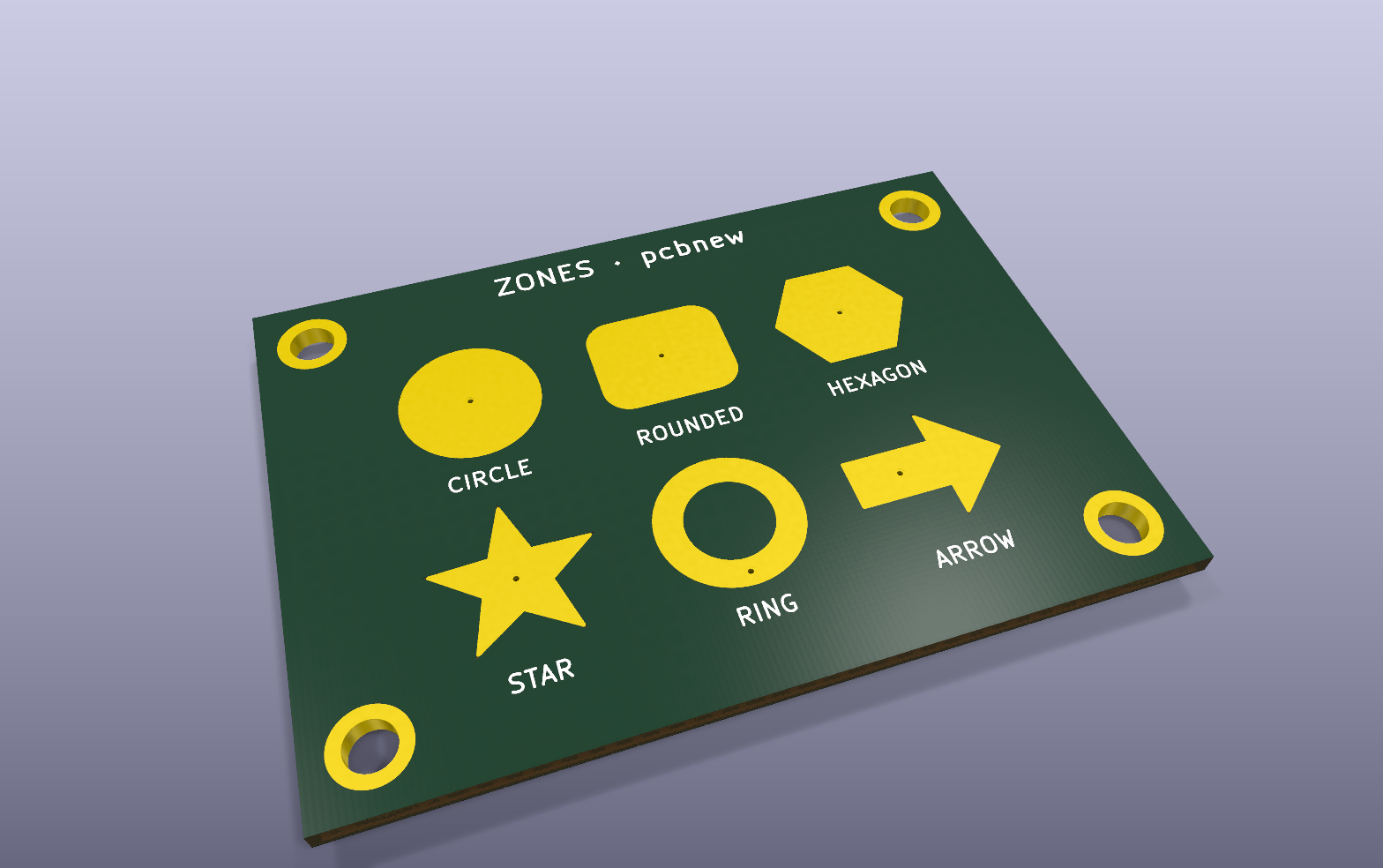
Going further
The same sequence — a Python script that edits, kicad-cli that checks then exports — carries over as-is to GitHub Actions or GitLab CI. To drive an already-open KiCad from an external script, see how to enable the IPC API.