Rotating a position around an arbitrary center with KiCad's Python API
Compute a point's new position after rotating around any center — the base building block for array or panel placement, with pcbnew or the IPC API.
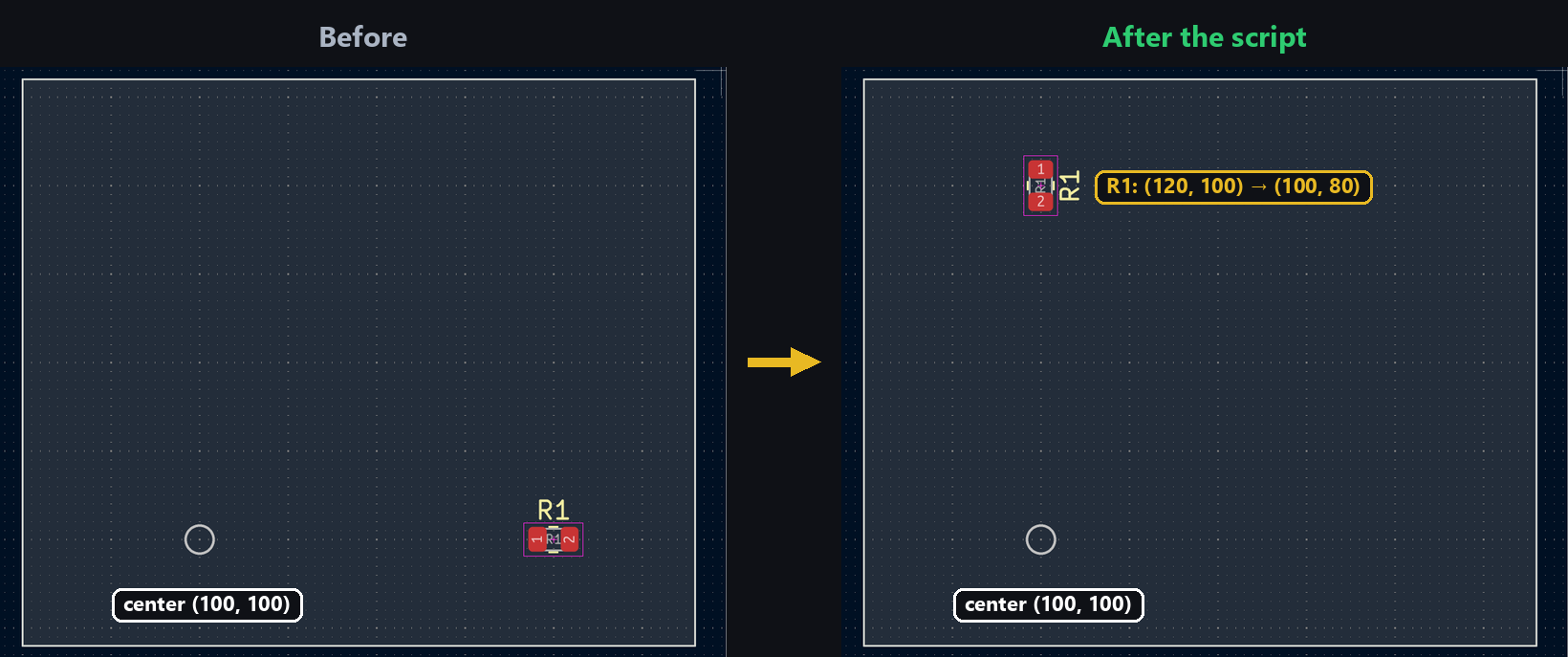
Placing a grid of identical footprints isn’t always enough: sometimes you need to spread components around a specific point — a connector at the center of a ring of LEDs, a series of mounting holes around a board’s mechanical center. That means rotating a position around a center that isn’t the origin (0, 0). Board items (ZONE, PCB_TRACK…) can do this themselves, as seen in the zone duplication tutorial — but a raw position doesn’t always have that method on hand.
Why a manual rotation
Tested: VECTOR2I — the type used for any position in internal units — has no Rotate method at all (AttributeError: type object 'VECTOR2I' has no attribute 'Rotate'). Only objects already placed on the board (FOOTPRINT, ZONE, PCB_TRACK, which inherit from BOARD_ITEM) expose .Rotate(center, angle). For a raw position — a coordinate from a config file, a point computed before the object even exists — you have to do the math yourself.
On the IPC side, Vector2 directly exposes .rotate(angle, center) — no manual formula needed for an existing Vector2. It stays useful for anything that isn’t a Vector2 yet: a coordinate pair read from a CSV file, a list of panel positions before placement.
The formula
The principle is always the same, whether you write it by hand or it’s hidden inside a method: bring the point back to the origin by subtracting the center, apply the rotation, then translate back:
from math import sin, cos, radians

def rotate_point(x, y, cx, cy, angle_deg):
    dx, dy = x - cx, y - cy
    a = radians(angle_deg)
    xn = dx * cos(a) + dy * sin(a)
    yn = dy * cos(a) - dx * sin(a)
    return cx + xn, cy + yn
Tested: applied by hand to a point, then compared against the result of ZONE.Rotate() (pcbnew) and Vector2.rotate() (IPC) on the same values, this formula gives the exact same coordinates down to the nanometer in both cases — all three methods use the same convention.
Applying the rotation to a footprint
import pcbnew
from pcbnew import VECTOR2I, FromMM, ToMM

board = pcbnew.GetBoard()
fp = board.FindFootprintByReference("R1")

cx, cy = 100, 100  # rotation center, in mm
angle = 90

x, y = ToMM(fp.GetPosition().x), ToMM(fp.GetPosition().y)
new_x, new_y = rotate_point(x, y, cx, cy, angle)

fp.SetPosition(VECTOR2I(FromMM(new_x), FromMM(new_y)))
fp.SetOrientationDegrees((fp.GetOrientationDegrees() - angle) % 360)
Tested: R1 starting at (87.63, 118.11) mm, orientation 0°. After a 90° rotation around (100, 100) mm: new position (118.11, 112.37) mm, orientation -90° — confirmed identical after SaveBoard/LoadBoard.
from kipy import KiCad
from kipy.geometry import Vector2, Angle
from kipy.util.units import to_mm

board = KiCad().get_board()
fp = next(f for f in board.get_footprints() if f.reference_field.text.value == "R1")

center = Vector2.from_xy_mm(100, 100)
angle = Angle.from_degrees(90)

fp.position = fp.position.rotate(angle, center)
fp.orientation = Angle.from_degrees((fp.orientation.degrees - angle.degrees) % 360)
board.update_items(fp)
Tested on the same board, the same R1 footprint: identical result to the pcbnew run — (118.11, 112.37) mm, orientation -90°, confirmed after a fresh read (get_footprints() again) and after board.save().
⚠️ Don’t forget the object’s own orientation
Rotating just the position isn’t enough as soon as the object has its own orientation — a footprint, a text item, an oblong pad. The point correctly orbits the center, but the object still renders in its old orientation if you skip the second line (SetOrientationDegrees(... - angle ...) / fp.orientation = ...), shown above. Both tests above confirm that new_orientation = (old_orientation - angle) % 360 gives the right result on both APIs — it’s the same rotation applied twice: once to the position, once to the object’s own orientation.
Try it below: the manual rotation formula applied to a point 80 units from the center.
Going further
This building block generalizes to any radial layout — spread N identical connectors around a center by looping over angle = i * (360 / N), or reposition an entire sub-circuit (footprints, zones, tracks) elsewhere on a panel by applying the same rotation to each of its elements, as in the zone duplication tutorial.