Placing components on a circle (LED ring) with KiCad's Python API
Place N footprints on a perfect circle and orient them outwards by script — a 24-LED WS2812B ring, with pcbnew or KiCad's IPC API.
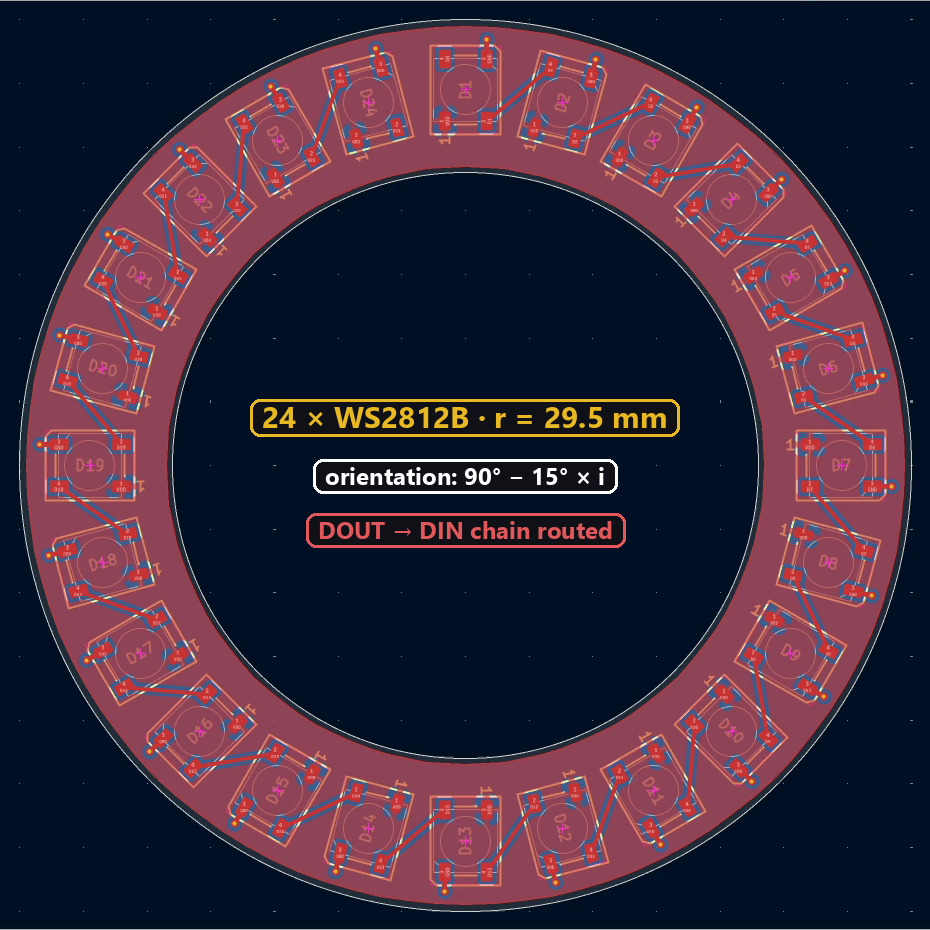
Placing 24 LEDs on a circle by hand, each one turned 15° from the previous one, is slow and never perfectly even. By script it’s a five-line loop: a bit of trigonometry for the position, a proportional angle for the orientation. All the code on this page was run on a real KiCad 10 board.
The formula
For part i out of n, on a circle centred on (cx, cy) with radius r, starting at the top and going clockwise:
- angle:
a = 2π · i / n - position:
x = cx + r·sin(a),y = cy − r·cos(a)(KiCad’s Y axis points down, hence the minus sign) - orientation, so every part “faces” outwards:
90° − 360° · i / n
Try it with the widget: change the number of parts and the radius, and the loop updates.
Placing the footprints
import math
import pcbnew

board = pcbnew.GetBoard()
cx, cy, r, n = 115, 105, 29.5, 24          # mm

for i in range(n):
    fp = board.FindFootprintByReference(f"D{i + 1}")
    a = 2 * math.pi * i / n
    fp.SetPosition(pcbnew.VECTOR2I_MM(cx + r * math.sin(a), cy - r * math.cos(a)))
    fp.SetOrientationDegrees(90 - 360 / n * i)

pcbnew.Refresh()
In KiCad’s console, pcbnew.Refresh() redraws the board right away.
import math
from kipy import KiCad
from kipy.geometry import Angle, Vector2

board = KiCad().get_board()
cx, cy, r, n = 115, 105, 25, 24            # mm

by_ref = {f.reference_field.text.value: f for f in board.get_footprints()}
parts = [by_ref[f"D{i + 1}"] for i in range(n)]
for i, fp in enumerate(parts):
    a = 2 * math.pi * i / n
    fp.position = Vector2.from_xy_mm(cx + r * math.sin(a), cy - r * math.cos(a))
    fp.orientation = Angle.from_degrees(90 - 360 / n * i)
board.update_items(parts)
Tested: after running it, D4 (i = 3, a = 45°) is indeed at (132.678, 87.322) mm, oriented at 45°. A single update_items() call for the whole list is enough.
Routing the data chain
On addressable LEDs, each LED’s DOUT output goes to the next one’s DIN input. Once the LEDs are in place, one track per pair:
def pad(fp, number):
    return next(p for p in fp.Pads() if p.GetNumber() == number)

leds = [board.FindFootprintByReference(f"D{i + 1}") for i in range(n)]
for i in range(n - 1):
    dout, din = pad(leds[i], "2"), pad(leds[i + 1], "4")   # WS2812B: 2 = DOUT, 4 = DIN
    track = pcbnew.PCB_TRACK(board)
    track.SetStart(dout.GetPosition())
    track.SetEnd(din.GetPosition())
    track.SetWidth(pcbnew.FromMM(0.3))
    track.SetLayer(pcbnew.F_Cu)
    track.SetNet(dout.GetNet())
    board.Add(track)
On our demo board, power comes from two zones (VDD on F.Cu, GND on B.Cu, reached through a via next to each LED): DRC at 0 violations and 0 unconnected items.
Same logic on the IPC side: create Track() objects between neighbouring LED pads and add them in one go with board.create_items(...) — see the track tutorial.
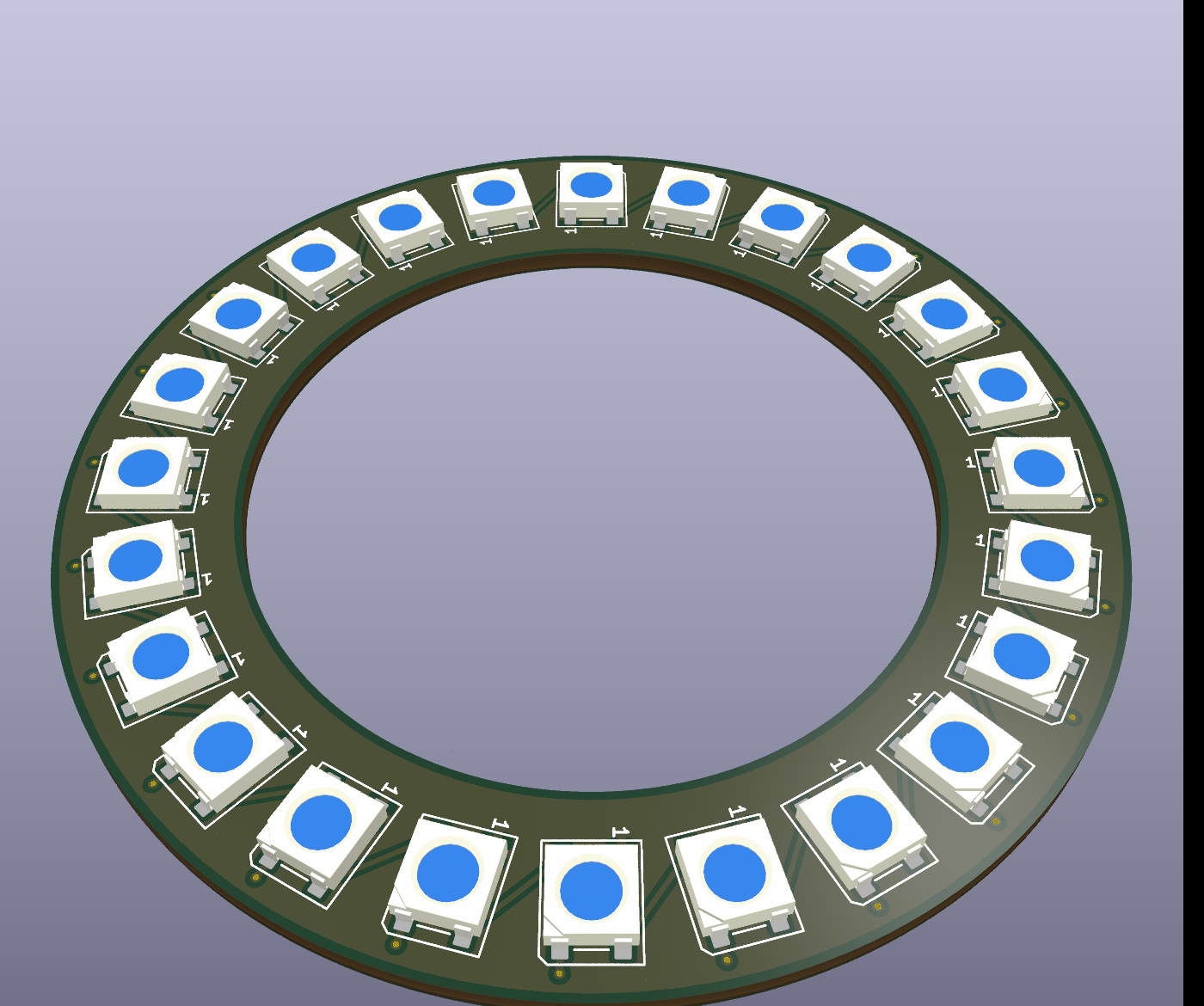
The result in 3D, with the real LED models shipped with KiCad:
Going further
The same idea applies to any circular pattern: mounting holes on a circle, rotary encoder pads, connectors around a sensor. To rotate an already-placed part around any point, see rotating around a center.