Routing a right-angle bent trace with pcbnew's Python API
Create a trace with a right-angle bend between two unaligned points, by script — with pcbnew or KiCad's IPC API.
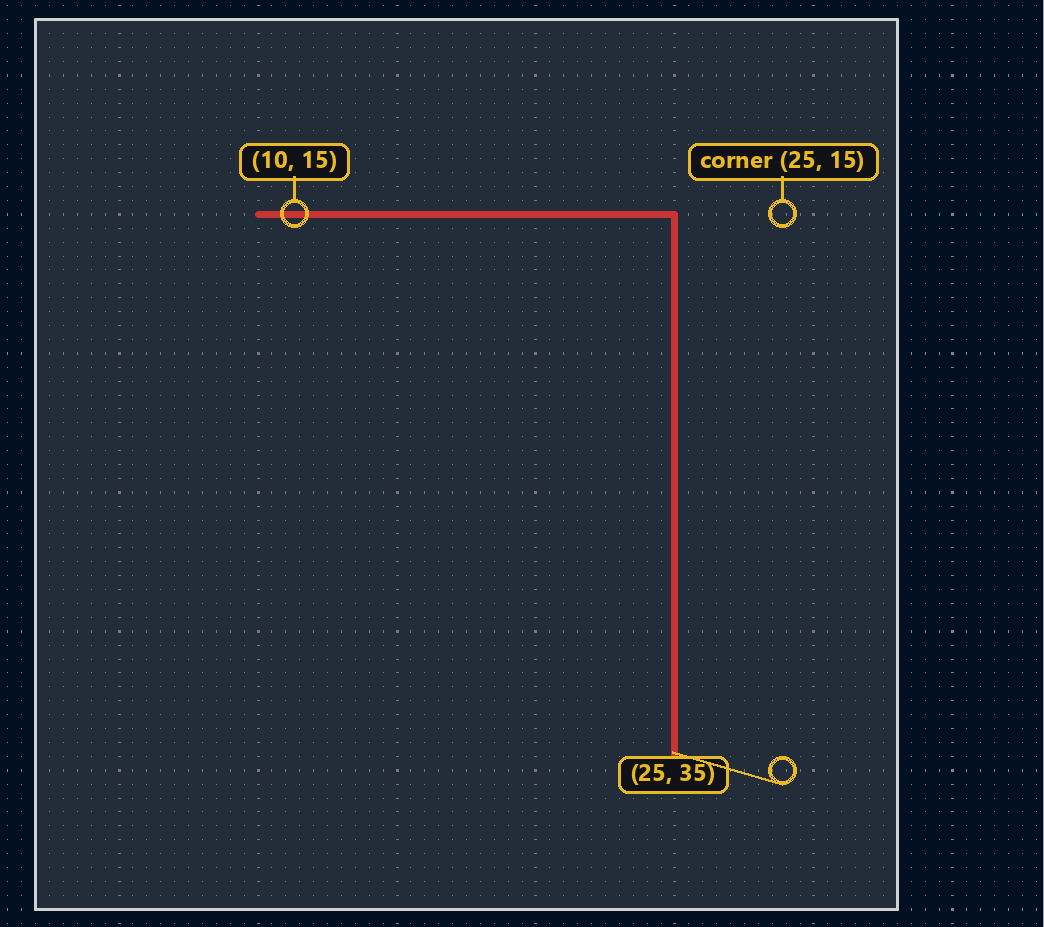
The trace routing tutorial draws a single straight segment. As soon as the start and end points aren’t aligned, you need at least two segments joined by a bend — the basis of any routing algorithm more elaborate than a straight line.
Creating the two segments
The second segment starts exactly where the first ends — that shared point is what forms the bend:
import pcbnew

board = pcbnew.GetBoard()
from pcbnew import PCB_TRACK, VECTOR2I, FromMM, F_Cu

track1 = PCB_TRACK(board)
track1.SetStart(VECTOR2I(FromMM(10), FromMM(15)))
track1.SetEnd(VECTOR2I(FromMM(25), FromMM(15)))
track1.SetWidth(FromMM(0.25))
track1.SetLayer(F_Cu)
board.Add(track1)

track2 = PCB_TRACK(board)
track2.SetStart(VECTOR2I(FromMM(25), FromMM(15)))
track2.SetEnd(VECTOR2I(FromMM(25), FromMM(35)))
track2.SetWidth(FromMM(0.25))
track2.SetLayer(F_Cu)
board.Add(track2)
Same idea, creating two distinct Track objects that share one point. Width is a raw nanometer integer, converted with from_mm:
from kipy import KiCad
from kipy.board_types import Track
from kipy.geometry import Vector2
from kipy.util.units import from_mm

board = KiCad().get_board()

track1 = Track()
track1.start = Vector2.from_xy_mm(10, 15)
track1.end = Vector2.from_xy_mm(25, 15)
track1.width = from_mm(0.25)
track1.layer = board.get_layer_by_name("F.Cu")

track2 = Track()
track2.start = Vector2.from_xy_mm(25, 15)
track2.end = Vector2.from_xy_mm(25, 35)
track2.width = from_mm(0.25)
track2.layer = board.get_layer_by_name("F.Cu")

board.create_items([track1, track2])
⚠️ .layer expects a BoardLayer value, not a string: track.layer = "F.Cu" raises a ValueError. get_layer_by_name does the conversion.
Try it below: drag the bend and watch both segments readjust.
Going further
This two-segment skeleton generalizes to an arbitrary zigzag path by looping over a list of intermediate points, each segment connecting the previous point to the next — the basis of a mini router that dodges simple obstacles.